AI Interior Design Apps Compared: Style Limits vs Ludwig (2026)

Most AI room design apps are built around a style menu, from 60+ to 200+ presets. Here's how popular apps compare on style and shopping, checked against their own sites, and why Ludwig reads style from any room, painting or Pinterest board instead.
Most AI interior design apps work the same way: upload a photo, pick a style from a menu, get a render. Some menus list 60 styles, some list 200, and many apps now let you type a description too. But a label or a sentence rarely captures the colours in a painting, the mood of a hotel lobby or the mix of pieces on your Pinterest board.
This guide compares popular AI design apps by how they handle style and shopping, and explains why Ludwig by Fülhaus starts from your images instead of a style list.

Quick Comparison: How Each App Handles Style
| App | How you choose a style | Preset styles (per official site) | Shopping | Best for |
|---|---|---|---|---|
| Ludwig by Fülhaus | From any image: a room, a painting, a Pinterest board, a floor plan | Limitless — connect to Pinterest | Real products from 300+ vendors, ordered in one place | Designing and ordering a real room |
| HomeDesigns AI | Preset styles and spaces | 200+ styles & spaces | "Shop the look" furniture finder | Exploring many preset looks |
| Decoratly | 75+ curated styles, a written description, or a custom palette and materials | 75+ | "Shop the result" (doesn't sell furniture itself) | Low-cost experiments |
| GenRoom | Pick a style, then edit by describing changes | 60+ | Not offered on its homepage | Interior, facade and yard renders |
| REimagine Home | Upload a reference, including a Pinterest look, and set a budget (in our test it didn't pick up the style of an inspiration image) | About 90 themes | Real products, checkout on Amazon or Shopify | Shopping within a budget |
| Interior AI | Preset styles or your own written prompts | 55 styles | Not offered on its homepage | Quick restyles and virtual staging |
| Spacely AI | Written style prompts | Not stated | Not offered on its homepage | Professional visualization |
| RoomGPT | Pick a room theme | 9 styles | Not offered on its homepage | Fast restyles |
Checked on each app's official homepage on Nov 5, 2026. "Not stated" means the site didn't publish a count; "not offered on its homepage" means we found no shopping feature there. Apps change often, so check each one before you sign up.
The Problem With Style Menus
A style menu turns your taste into a label. "Japandi" in one app can look nothing like "Japandi" in another, and nobody's home is purely one style. Real rooms mix a vintage rug, a modern sofa and a piece of art that sets the whole palette. When the app only knows its own labels, you get a render that looks like everyone else's "Scandinavian" room.
There's a second problem: many of these apps produce a picture, not a plan. Some now suggest similar products to shop, but in a render-only app the sofa you see usually doesn't exist, so you're left searching for lookalikes.
How Ludwig Understands Style
Ludwig doesn't ask you to pick a style. It learns it from what you show it:
- A room you love. Upload a photo of a hotel, restaurant or friend's living room, and Ludwig picks up its colours, materials and mood.
- A painting or artwork. Use a favourite painting as the starting point, and Ludwig builds a room around its palette and feeling.
- Your Pinterest board. Connect a board, and Ludwig reads the common thread across your saves, then designs accordingly.
- Your own room or floor plan. Upload a photo of the space or a floor plan, and the design fits the room you actually have.
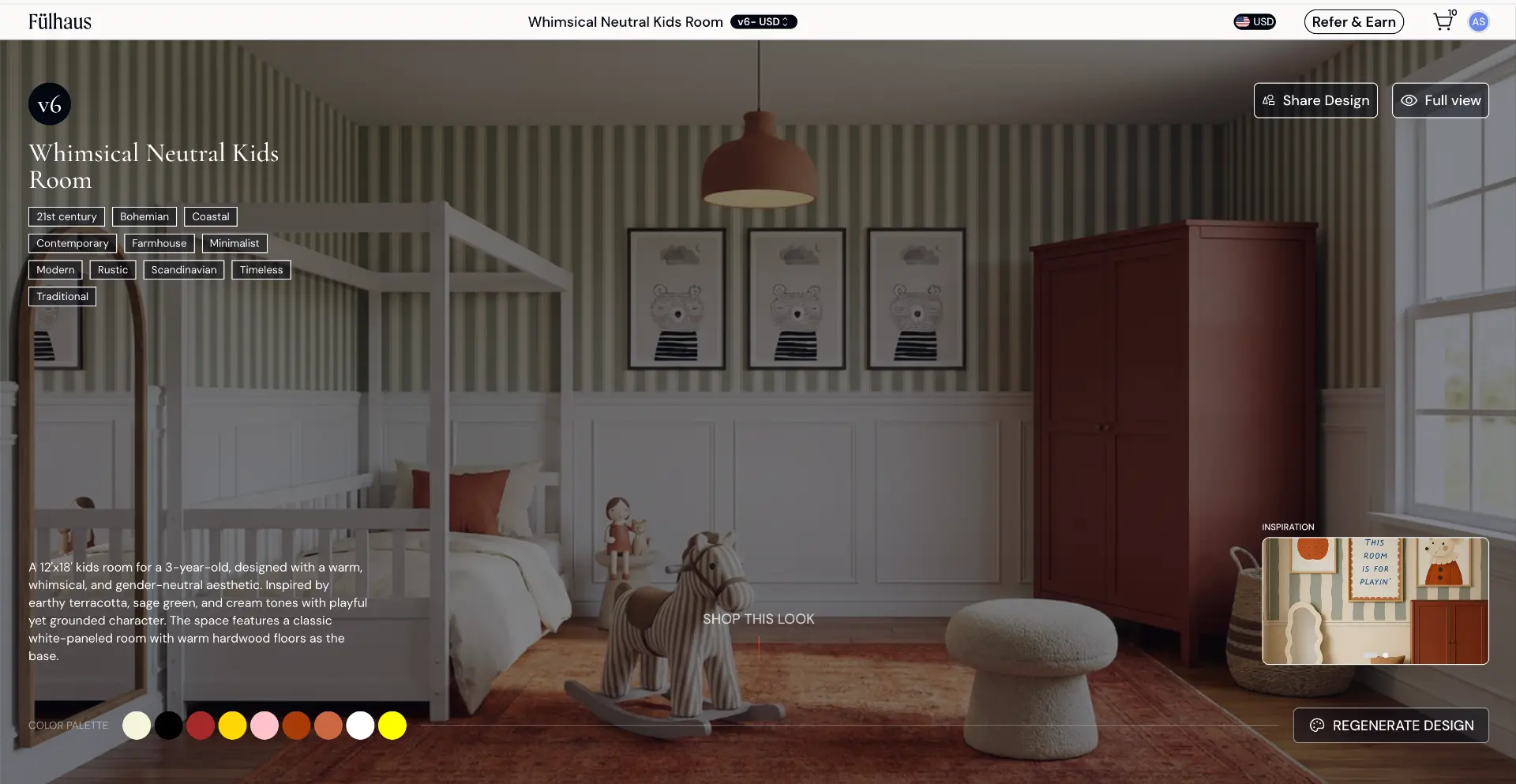
Because the style comes from your images, there's no ceiling on what Ludwig can design. If you can show it, Ludwig can design it.
From Render to Real Room
Every piece in a Ludwig design is a real product from 300+ vendors, with live inventory and retail pricing. Swap anything you don't love, then order everything in one place. Each vendor ships directly to you.
Pricing is simple: your first 20 designs are free, then it's $20 for 5 more designs, topped up as you go. See pricing for the Pro plan.
Which App Should You Use?
- Want to try lots of preset looks for fun? A preset app like HomeDesigns AI or Decoratly will do.
- Want a design that matches your exact taste? Use Ludwig: show it a room, a painting or a Pinterest board.
- Want to actually furnish the room? Use Ludwig, so every piece in the design is something you can order.
For a broader look at the market, read our best AI interior design apps comparison or learn more about AI interior design.

Start Designing
Ready to design without a style menu? Start your free designs in Ludwig and upload the room, painting or Pinterest board that inspires you.